Zero-Lag PC Optimization. Automated RAM & Temp Cleaner.
Lightweight Windows Background Daemon with Floating Quick-Action Boost Button.
Engineered to keep PCs running at maximum speed. Automatically monitors memory pressure, flushes unused process working sets, wipes out temporary junk files, and eliminates gaming & multitasking stutters with 1 click.
0.0%
CPU Idle Footprint
< 15 MB
Resident RAM Footprint
100%
Offline Freeware
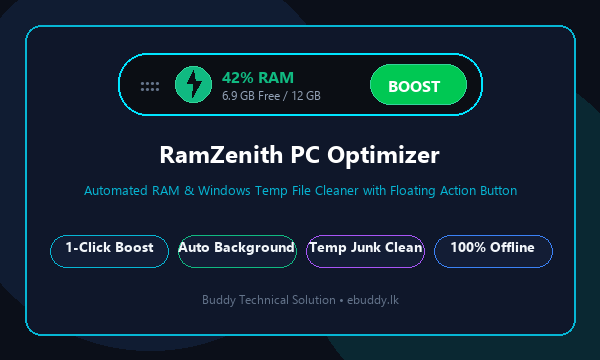 100% Standalone Offline
RamZenith PC Optimizer
ActiveContinuous Win32 background memory supervision. Real-time RAM & junk management.
Engineered For Maximum Windows Speed
Unlike bloated cleaners that hog system resources and show ads, RamZenith is a pure, zero-overhead Win32 utility that keeps your computer running like new.
Top Floating Quick-Action Pill
Always available docked at the very top of your desktop (or freely draggable). Displays real-time RAM usage with dynamic color coding: Emerald Green (<60%), Amber Yellow (60%–80%), and Neon Red (>80%). Click the ⚡ BOOST button anytime for instant memory freeing without opening any heavy windows!
Smart Background Auto-Cleaner
Operates silently in the background consuming 0% CPU. Automatically monitors memory pressure and trims inactive process working sets when RAM crosses your preferred threshold (e.g. 80%). Includes an intelligent 3-minute anti-thrashing cooldown so your gaming and video editing are never interrupted.
Deep Windows Temp File Purge
Safely clears clogged temporary folders that slow down Windows boot and app launch times. Thoroughly purges %TEMP%, C:\Windows\Temp, crash dump error archives, and Internet cache (INetCache). Engineered with safe exception handling that gracefully skips locked files without freezing.
Turbo PC Speedup Suite
Powered by native Windows NT memory management APIs (EmptyWorkingSet & K32EmptyWorkingSet). Calls kernel memory management to flush stale memory back to the Windows free pool. Combines RAM trim, temporary junk purge, and automatic DNS cache flush (ipconfig /flushdns) in one seamless speedup.
Memory Manager & Inspector
Inspect real-time memory usage of every process currently running on your PC. Easily identify which background applications (web browsers, game launchers, creative software) are hogging memory, and perform 1-click single-process working set trimming to regain gigabytes without closing your open tabs!
100% Offline • Zero Telemetry
Your privacy is completely protected. RamZenith is 100% standalone and offline—no internet access required, no data collection, no background tracking, and absolutely zero advertisements. Integrates cleanly with Windows Startup (HKCU Run registry) and the system tray for silent, seamless protection.
Test RamZenith In Action Right Now
Experience how RamZenith instantly frees memory and wipes out Windows temp files. Click the ⚡ BOOST button on the simulated floating widget or speedup tiles below!
| PID | Process Name | Working Set (RAM) | RAM Share | Quick Action |
|---|
Memory Status at a Glance • Always Accessible
The floating widget sits discreetly at the top edge of your monitor. You don't have to open Task Manager or interrupt your workflow to know when memory is filling up.
The Science of Native Win32 Memory Management
Understanding why RamZenith is safe, reliable, and completely superior to legacy "RAM booster" utilities.
How Working Set Trimming Works
Modern Windows applications allocate large pools of RAM (Working Sets) for caching data that is rarely accessed again. For instance, after closing a browser tab or rendering a video, web browsers and creative apps keep gigabytes of inactive memory reserved.
RamZenith executes native Windows kernel calls (EmptyWorkingSet from kernel32.dll / psapi.dll). This instructs the Windows Memory Manager to evaluate every process, release unused pages, and return them immediately to the OS Available Free Memory Pool.
Safe Windows Temp & Cache Cleaning
Many disk cleaning tools cause system crashes because they force-delete files that are currently locked by active programs. RamZenith is architected with a non-destructive multi-pass traversal engine.
It scans %TEMP%, C:\Windows\Temp, Windows Crash Dump archives, and Internet Temporary Cache (INetCache). It safely removes unlocked junk while gracefully skipping locked handles without throwing errors.
RamZenith vs. Typical PC Cleaners
See why power users, gamers, and IT professionals choose RamZenith over bloated commercial software.
| Feature & Metric | RamZenith Optimizer | Commercial Bloatware (CCleaner, etc.) | Legacy RAM Boosters |
|---|---|---|---|
| License & Pricing | 100% Free Forever | Paid Subscriptions / Pro Paywalls | Shareware / Nag screens |
| Advertisements & Popups | Zero Ads / Zero Popups | Frequent Upgrade Ads & Popups | Ad banners |
| Idle CPU & RAM Usage | 0% CPU • ~14 MB RAM | 2%–5% CPU • 150+ MB RAM | Unoptimized memory usage |
| Desktop Quick-Action Button | Yes (Docked Top Action Pill) | None (Must open full app) | Clunky tray only |
| Data Privacy & Tracking | 100% Offline • No Telemetry | Analytics & User Tracking | Unknown third-party telemetry |
| Cleaning Method | Safe Native Win32 API | Aggressive Registry edits (Risky) | Dangerous force-allocation leaks |
| Network & DNS Optimization | Integrated DNS Cache Flush | Requires separate tools | Not supported |
Calculate Your PC's Speedup Headroom
Select your computer's installed RAM capacity to see estimated memory recovery and multitasking gains:
Gamer & Creator setup! Frees maximum headroom for AAA games (Call of Duty, GTA, Valorant) and Premiere editing.
High-Resolution Software Gallery
Take a visual tour of RamZenith's sleek dark obsidian interface, real-time gauges, and floating desktop action widget.
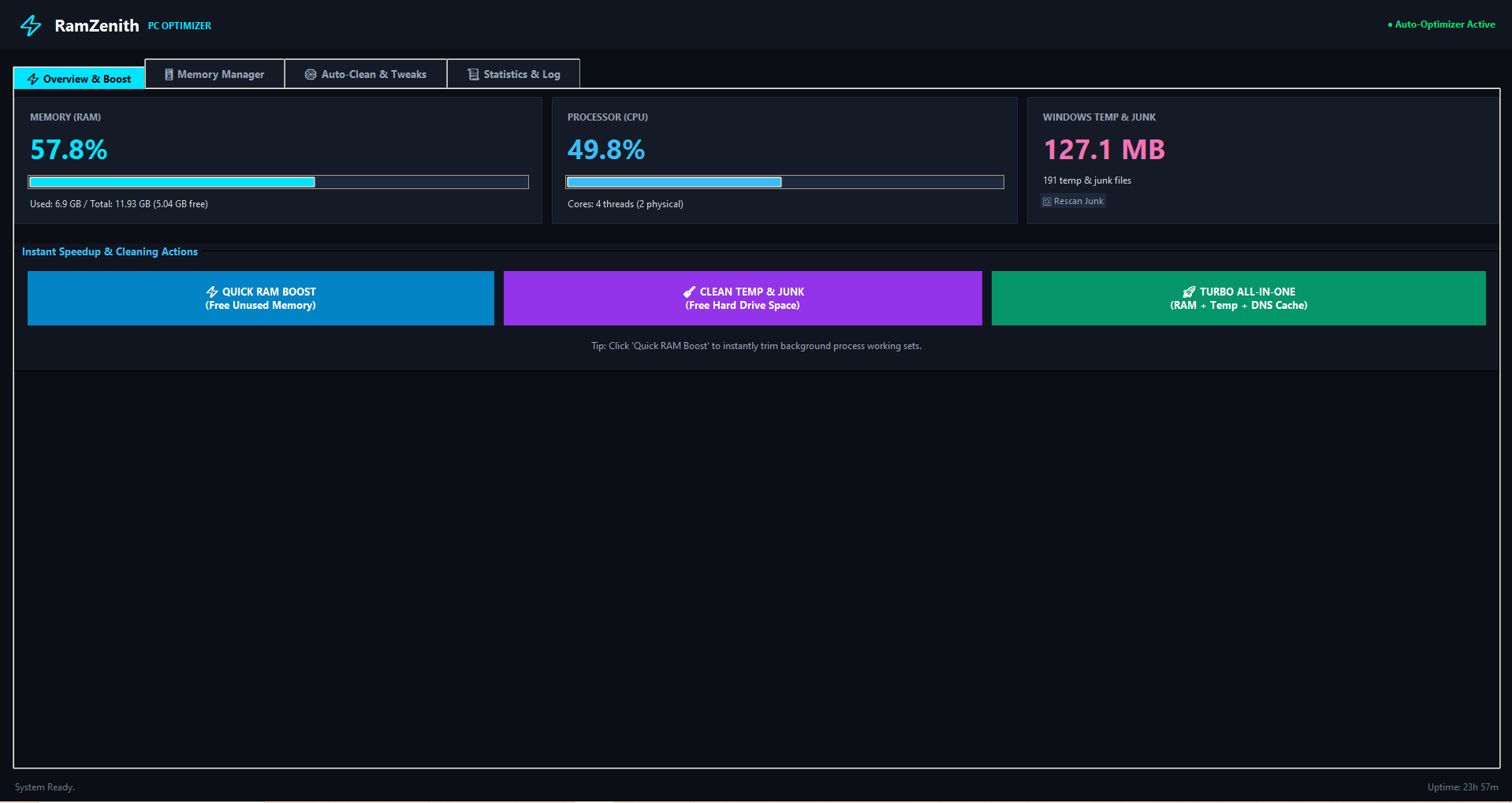
Control Dashboard (Overview & Boost)
Live memory metrics, CPU usage, and 1-click speedup action buttons.
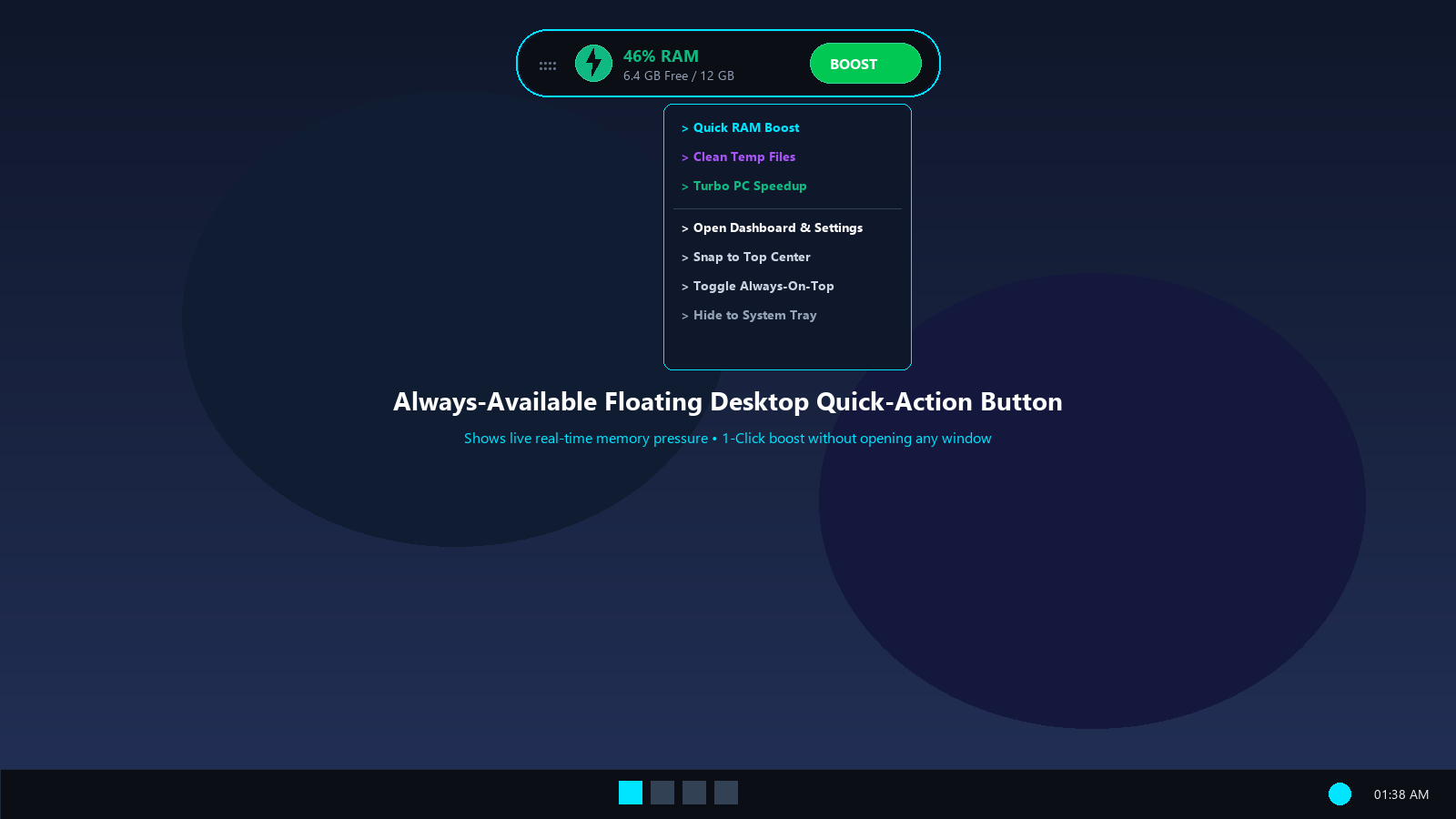
Floating Quick-Action Widget
Docked at desktop top edge with real-time memory meter and right-click menu.
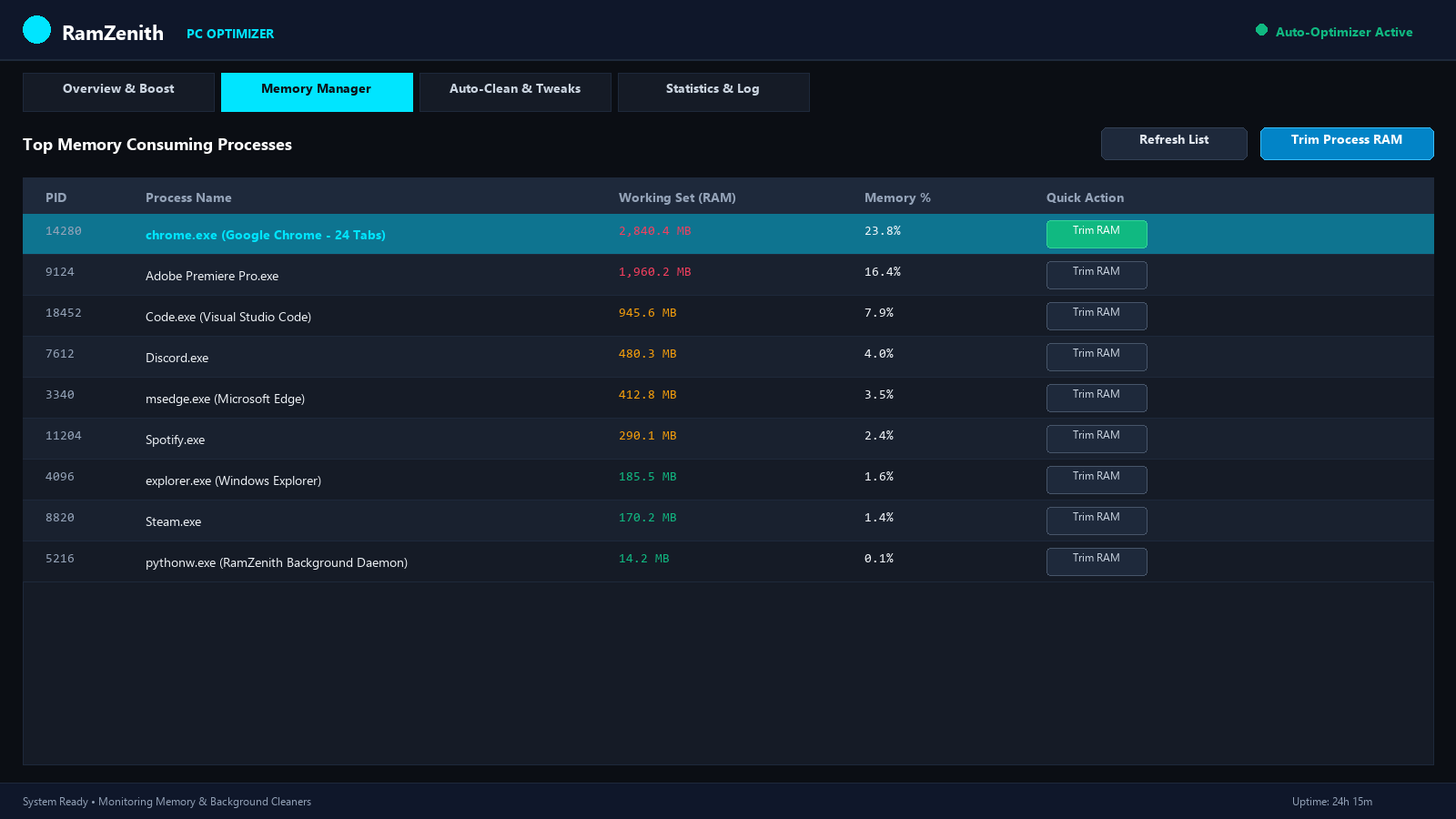
Memory Manager & Process List
Inspect memory per process with 1-click individual working set trimming.
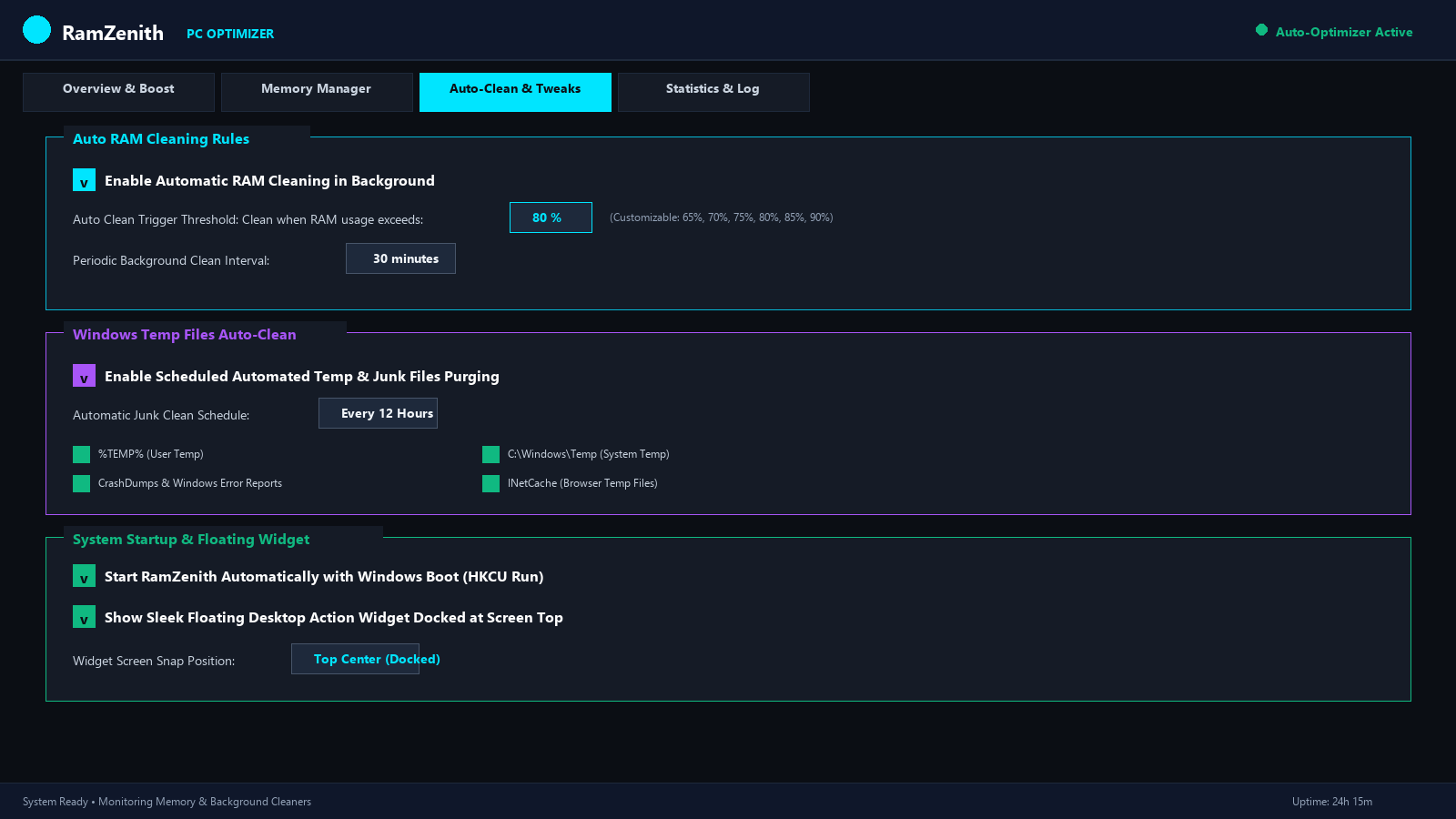
Auto-Clean & Tweaks Settings
Configure threshold triggers, periodic cleanup intervals, and Windows autostart.
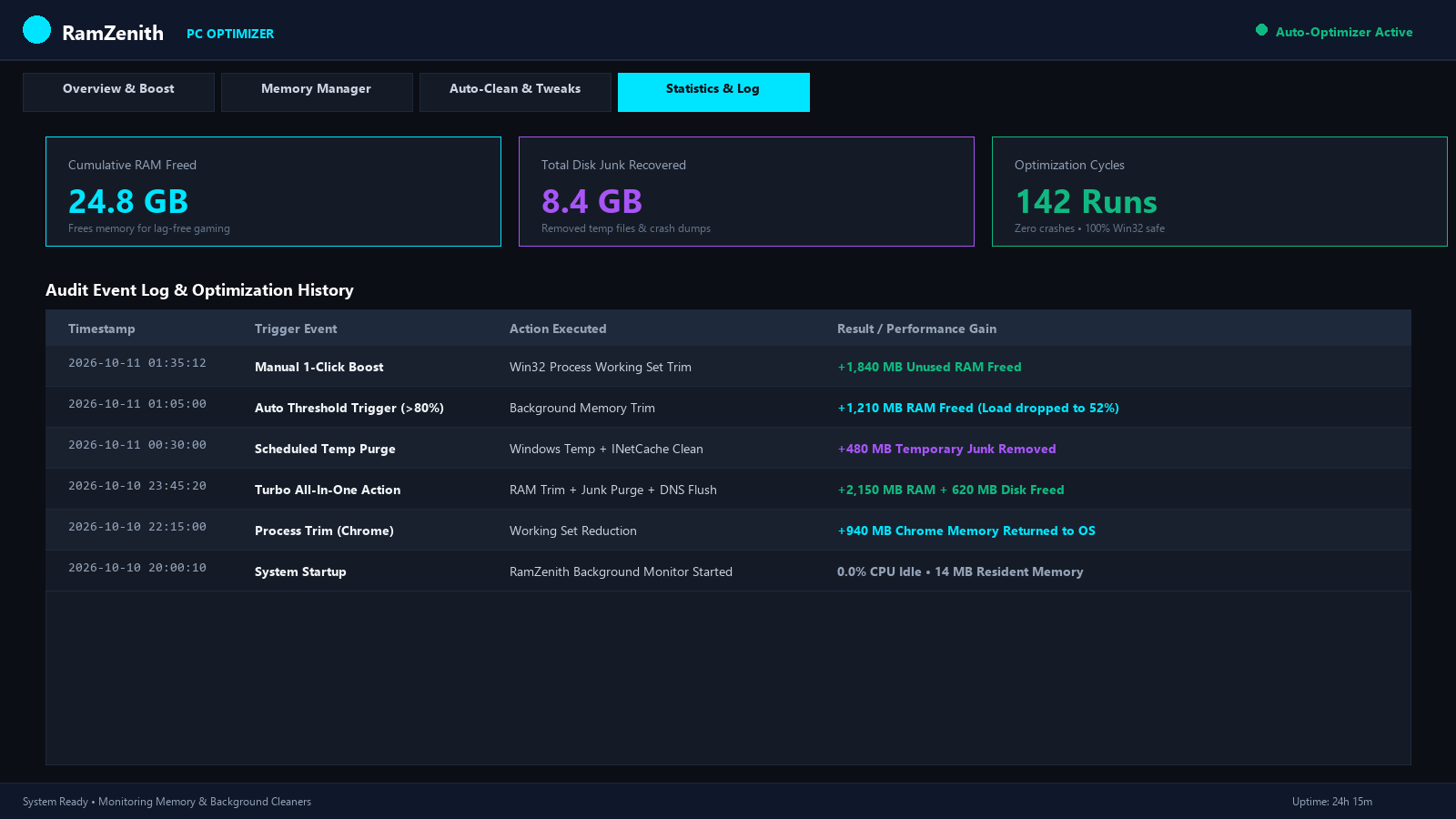
Statistics & Audit Trail Log
Track cumulative GB of RAM freed, disk space reclaimed, and timestamped logs.
Official Product Overview
Engineered and provided free of charge by Buddy Technical Solution (ebuddy.lk).
Ultra-Lightweight • Runs On Any PC
Designed from the ground up for minimal resource usage. Runs smoothly on everything from low-end thin clients to high-end gaming rigs.
Technical Requirements
| Supported Operating System | Windows 11, Windows 10, Windows 8.1, Windows 7 (64-bit & 32-bit) |
| Processor (CPU) | Intel Core / Pentium / Celeron, AMD Ryzen / Athlon (Any x86/x64) |
| RAM Consumption | < 15 MB (Near-zero resident footprint) |
| CPU Consumption | 0.0% when idle (Event-driven Win32 timers) |
| Disk Space Required | ~50 MB installed storage |
| Internet Connection | 100% Offline (No internet required) |
Distribution & Release Info
| Software Version | v1.0.0 Stable (Official Release 2026) |
| Installer Package | RamZenith_Setup.exe (32.8 MB Standalone Setup) |
| Portable Edition | RamZenith_Portable.exe (20.6 MB - No Install Needed) |
| License & Cost | Freeware • 100% Free for Personal & Commercial Use |
| Developer & Publisher | Buddy Technical Solution (ebuddy.lk) |
| Admin Privileges | Standard user for RAM trim; Run as Admin for System Temp cleanup |
Download RamZenith PC Optimizer
Get the official, verified setup installer or portable edition. Completely free of charge, with zero adware or hidden bundles.
RamZenith Setup Installer
Standard Windows installation wizard. Includes desktop shortcut creation, start menu entry, automatic startup configuration, and clean uninstaller support.
Quick 4-Step Setup Guide
RamZenith_Setup.exe.Frequently Asked Questions
Common questions regarding RamZenith's Win32 memory trimming, safety, and functionality.
EmptyWorkingSet) provided by Microsoft. Unlike malicious memory cleaners that force processes to terminate, RamZenith simply notifies the Windows kernel to purge inactive cache pages that applications are no longer reading. Your open browser tabs, documents, and game states remain intact and responsive.
%TEMP% and %LOCALAPPDATA%\Temp), system temp (C:\Windows\Temp), crash dump diagnostic files (%LOCALAPPDATA%\CrashDumps), Windows Error Reporting queue/archives, and Internet temporary cache (INetCache). It never touches user documents, downloads, or operating system system files.